Is your Android Smartphone running slow, and the apps on your phone are not working properly? In this situation, one effective method that you can try is to restart your phone or tablet. It resolves minor glitches in your device like slow performance, app crashes, and poor connectivity. In this article, we are going to give you straightforward instructions on how to easily restart a phone and continue using it without interruption.
How do I restart my phone?
Below we have mentioned different ways to restart your phone such as
1. Press the Power Button:
- Press and hold the power button for a minute. You can typically find it on the right side of the gadget.
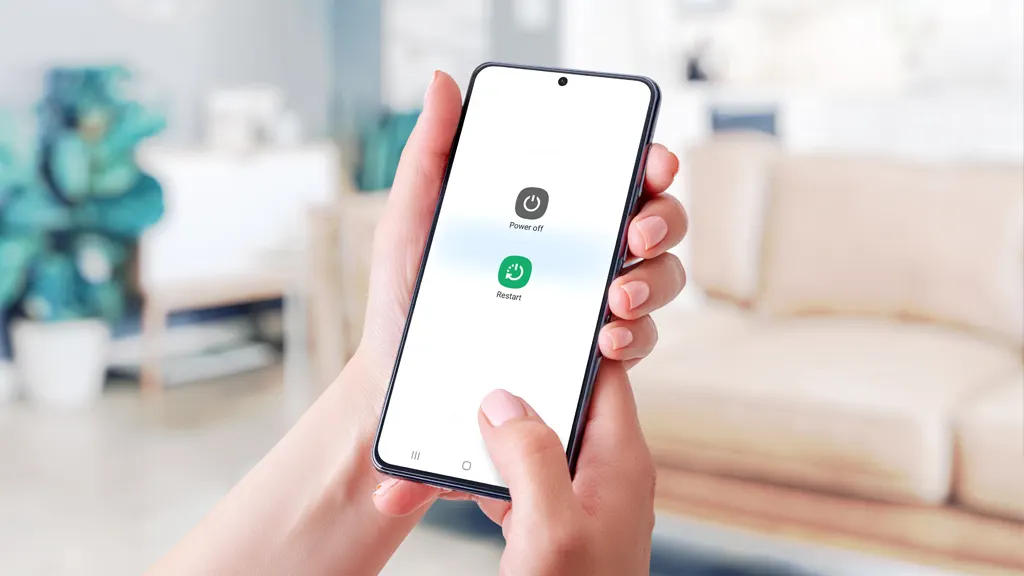
- It will display a menu with the power off option. If you are using the latest version of Android Smartphone, you will get the Restart option. This is a better option.
- Certain devices such as the newest pixel phones operate a little differently because you have to press the Volume Up buttons along with the power button.
This is the easiest approach to fix minor issues on your Android phone. A soft reset is a must to solve the app crashing and performance issues before taking any drastic steps.
2. Remove the Battery:
If your Android device has a detachable battery, remove the battery and shut down your device. After that, reattach it and turn on your phone or tablet. It’s a great way to restart your phone when you have tried all the other solutions.
Note- Don’t use your finger to remove the battery or any other parts of the device. Instead of using your finger, consider using a piece of plastic or a guitar pick to remove the battery. In some devices, you need to press the battery lock or switch to pop the battery out.
3. Close Apps:
It’s not always necessary to restart your phone to fix the minor issues of your device. Instead of that, you can try closing a few apps to speed up things. When you exit an application, your device retains the application in the background for a swift return. In the meanwhile, it consumes memory frequently.
To view your recently used application, press the square icon at the bottom right of your device. Then swipe up on any app to close it. In some Android devices, you need to swipe left to view the open apps and press the Clear All button to close all the open applications.
4. Close Recently Used Apps:
Some Android Smartphones incorporate the Recently Used Apps button in the lower left corner of the screen. To close the application in this interface, simply press the X on each application or select the “Close All” option.
5. Task Manager:
If none of the above mentioned methods work, you should long-press the Home button or double-tap on it so that it displays a menu with various options, including the task manager. Within the task manager, you can select close or exit apps. In some devices, the Task Manager is represented by a Pie Chart icon.
How to Force Restart your Phone:
At times, your Smartphone freezes and stops responding and leaves you stuck. In this situation, a force restart is one of the most effective methods.
· To initiate this, press the Power button along with the Volume Down button for a few seconds. Leave the button when your Smartphone restarts. It’s the fastest way to resolve minor glitches and make sure to protect your mobile data.
Every Smartphone user should know how to perform a force restart. Whether you are dealing with an unresponsive screen or sudden app freeze, this method fixes the issue and revives your phone.
How to do a Hard Reset on Your Smartphone?
When small adjustments fail to solve the problem of your device and your Smartphone encounters significant software issues, it’s time to perform a Hard reset on your device or tablet. It gives a fresh restart to your device by cleaning up all your data. Thus, make sure to take a backup of your data including files, contacts, and photos before doing this process.
Here’s how it works-
- From Settings: Go to System>Reset options> Factory data reset and confirm your choice.
- Use Recovery Mode: If your device is not starting, power it off by pressing the power and volume up button. Press and hold the button until it displays the recovery menu.
- Use the volume button to select Factory reset, then press the power button to confirm your choice.
Why does Hard Reset?
It’s the best method when you are facing software error issues. You should give this method a try before selling your device.
Can I Restart my Phone without a Power Button?
Yes, you can restart your Smartphone without the power button by following these simple steps-
1. Use Accessibility Options:
Navigate to Settings> Accessibility and activate the “Accessibility Menu”. This option enables you to use the on-screen power options.
2. Link to a PC via ADB (Android Debug Bridge):
If you are a technical expert connect your Smartphone to your PC. Execute the ADB reboot command to restart your Android device through the PC.
What to do when Your Smartphone Won’t Restart?
In such a stressful situation you can consider trying the following steps-
- Put your phone into charge for at least 15 to 30 minutes. Sometimes, the battery is simply too low to restart.
- Eliminate the accessories of your Smartphone such as phone covers or broken wires as it can affect charging and restarting.
- When all of the above-mentioned methods fail, consider using the Android System Recovery Tools.
Simple Tips to Make Your Device Healthy:
- Update your device regularly as it improves the functionality of your device and fixes the latest bug.
- Navigate to settings and clear your app caches regularly as it clears the space and enhances speed.
- Make sure to download the trusted applications from the Google Play Store to protect your Smartphone from malware and security issues.
After trying all the methods mentioned above, if you are still experiencing restart issues, then please get in touch with the phone repair service near you.
Conclusion:
If you are also facing the issue of restarting your phone, then you are not the only one who is searching for how to restart your phone. Therefore, we have mentioned several ways to restart your phone. It includes soft reset, hard reset, and some tips to resolve the issue. Always remember, that you can easily fix small errors in your device by following the above-mentioned strategies. And if nothing works, don’t hesitate to go to your nearest phone repair service store.
 Punit
Punit  Ayushi Saini